

IOB Net Banking: Registration, Login Process, Features And Safety Tips


Established with the primary objective of specialising in foreign exchange business in banking, Indian Overseas Bank (IOB) has come a long way. The bank now operates overseas in four countries, Singapore, Hong Kong, Thailand and Sri Lanka. The bank has also expanded its operations across the board, offering facilities such as IOB Net Banking.
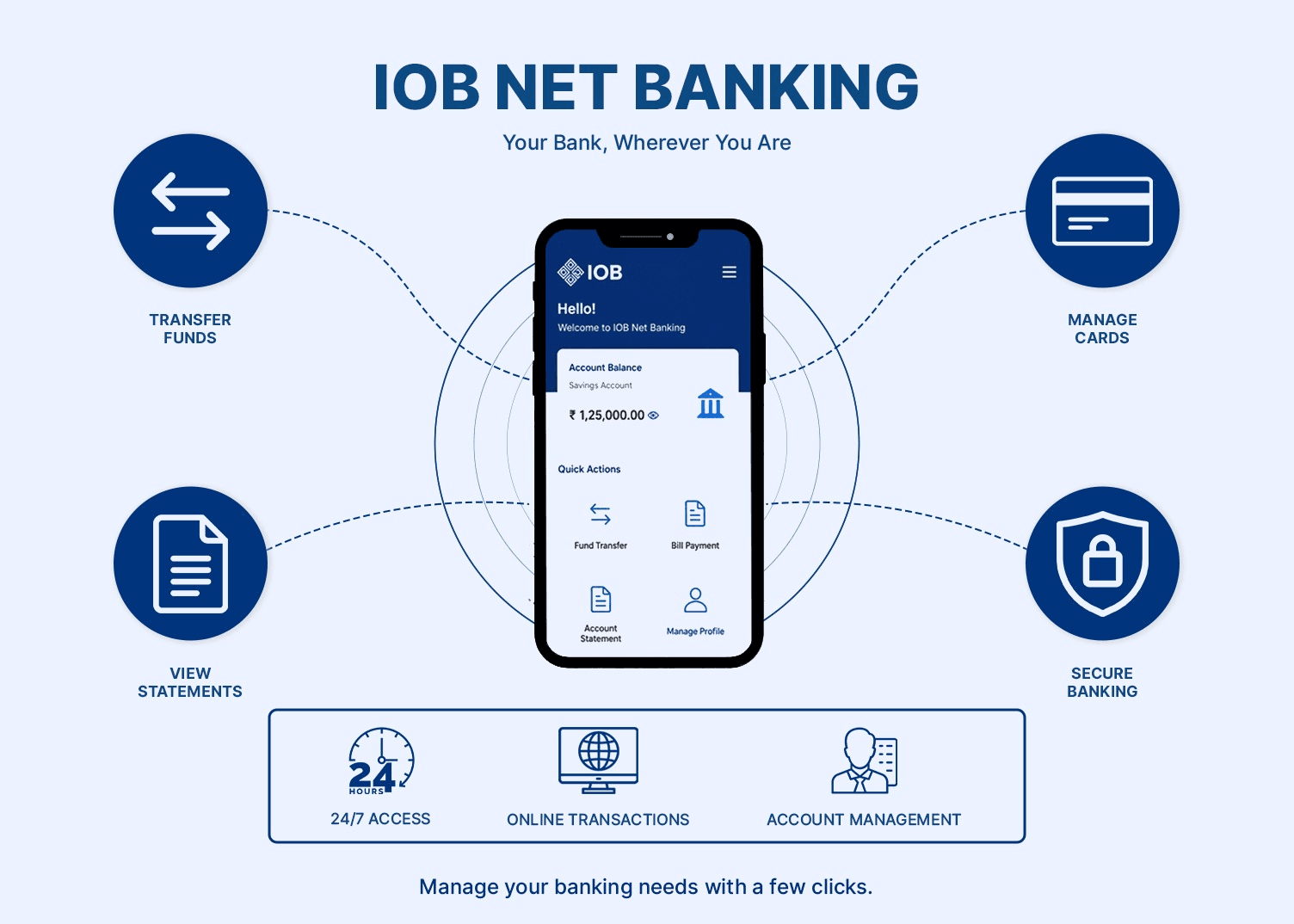
It allows customers to manage their accounts online without the need to visit a physical bank branch. With features like checking account balances, transferring funds, paying bills and accessing account statements, the system is designed for both convenience and efficiency.
What Is IOB Net Banking?
IOB internet banking is the online banking platform provided by Indian Overseas Bank. It allows customers to access their bank accounts through a web browser and perform various financial and non-financial transactions. With this facility, customers can view their account information, monitor transactions, transfer funds via NEFT, RTGS, and IMPS, and manage deposits and loans from the comfort of their home.
Indian Overseas Bank net banking also provides access to more advanced services, such as placing a cheque book request, stop-payment instructions, managing the debit card, and bill payments. In addition to individual banking services, IOB also offers corporate net banking solutions for businesses that require advanced transaction management and authorisation features.
How To Register For IOB Net Banking?
The IOB online banking registration process is comparatively simple. You can easily register for the service through the bank’s online portal. Though the exact steps may vary depending on your account type and verification requirements, here is a general outline of the registration process:
Step 1: Visit The Official Banking Portal
Start by visiting the official IOB net banking portal. Ensure that you are on the official website of the bank before entering any personal or banking details.
Step 2: Select Registration Option
On the portal, choose the option of new user registration or activation of internet banking. This section is for customers who have not yet registered for online banking services.
Step 3: Verify Account Details
Provide the necessary information, such as your account number, registered mobile number, email address, and other verification details. The bank may send a One-Time Password (OTP) to your registered mobile number for authentication.
Step 4: Create Login Credentials
After verification, the last thing that you have to do is set up a user ID and password as directed in the portal. Once registered, you can then use these credentials to log into your internet banking account.
IOB Net Banking Login Process
The IOB login process is designed to provide secure access to banking services. To access IOB Net Banking, you have to follow these steps:
- Visit the IOB Net Banking Portal: Open the official internet banking website using a secure browser and internet connection.
- Login Credentials: Enter the registered login ID or user ID and the password created during registration.
- Full Security Check: Depending on the security settings, the users may have to enter a captcha code or verify their identity by entering a One Time Password (OTP) sent to their registered mobile number.
- Access The Banking Dashboard: After successful authentication, customers can access their account dashboard and use various online banking services.
- Perform Banking Transactions: Users can check account balances, view statements, transfer funds, pay bills, manage deposits, and access other available banking features.
Features Of IOB Online Banking
IOB Net Banking offers a range of features that support everyday banking needs.
- One of the primary features is account management, which allows you to view balances, review transaction history, and download account statements. The platform also supports fund transfers through various electronic payment systems, enabling you to send money conveniently.
- The service can be used to make utility bill payments, tax payments, mobile recharges and other online transactions. There are deposit-related services too, which help you keep a tab on your fixed deposits and recurring deposits. The portal also provides information about the loan account, including the remaining loan balance and repayment details.
- Other services include ordering cheque books, placing stop-payment instructions, debit card functions and profile management. For companies, corporate net banking provides facilities like bulk payments, salary disbursements, vendor payments and multi-level authorisation controls.
IOB Net Banking Safety Tips
Although online banking offers convenience, you should follow recommended security practices to protect your accounts. Here are a few IOB online account management tips to keep your funds safe:
1. Avoid Public WiFi
Public WiFi networks might not always provide secure connections. When you log on to your net banking accounts, it is best to use trusted internet connections to reduce security risks.
2. Do Not Share OTP
One-Time Passwords are used as an additional layer of authentication; therefore, you should never share OTPs with anyone, regardless of the reason provided, as doing so may compromise account security.
3. Enable Alerts
You can leave account alerts on to help you monitor activity in your account. Transaction alerts can help you identify unauthorised transactions and allow you to take action, if necessary, in a timely manner.
FAQs On IOB Net Banking
 |
Author: Grip Invest Editorial Team The Grip Invest Editorial Team is a group of Chartered Accountants, MBA (Finance) graduates, and Qualified Research Analysts dedicated to helping you invest smarter. We dive deep into India's fixed income landscape to deliver content that is accurate, up-to-date, and easy to understand. Whether you're exploring bonds, fixed deposits, or other fixed income opportunities, our guides cut through the noise and give you the clarity to make better financial decisions. |
Want to stay at the top of your finances?
Join the community of 4 lakh+ investors and learn more about Grip Invest, the latest financial knick-knacks, and shenanigans in the world of investing.
Happy Investing!
Disclaimer - Investments in debt securities/municipal debt securities/securitised debt instruments are subject to risks including delay and/ or default in payment. Read all the offer related documents carefully. The investor is requested to take into consideration all the risk factors before the commencement of trading.
This communication is prepared by Grip Broking Private Limited (bearing SEBI Registration No. INZ000312836 and NSE ID 90319) and/or its affiliate/ group company(ies) (together referred to as “Grip”) and the contents of this disclaimer are applicable to this document and any and all written or oral communication(s) made by Grip or its directors, employees, associates, representatives and agents. This communication does not constitute advice relating to investing or otherwise dealing in securities and is not an offer or solicitation for the purchase or sale of any securities. Grip does not guarantee or assure any return on investments and accepts no liability for consequences of any actions taken based on the information provided. For more details, please visit www.gripinvest.in
Registered Address - 106, II F, New Asiatic Building, H Block, Connaught Place, New Delhi 110001


