

PNB Net Banking Guide: Registration, Login, And Online Banking Services


PNB or Punjab National Bank is one of the largest financial institutions in the country (by assets and market capitalisation)1. In addition to a long legacy of providing banking services across the country, the bank is well-known for adopting the latest technologies to deliver seamless services to its customers.
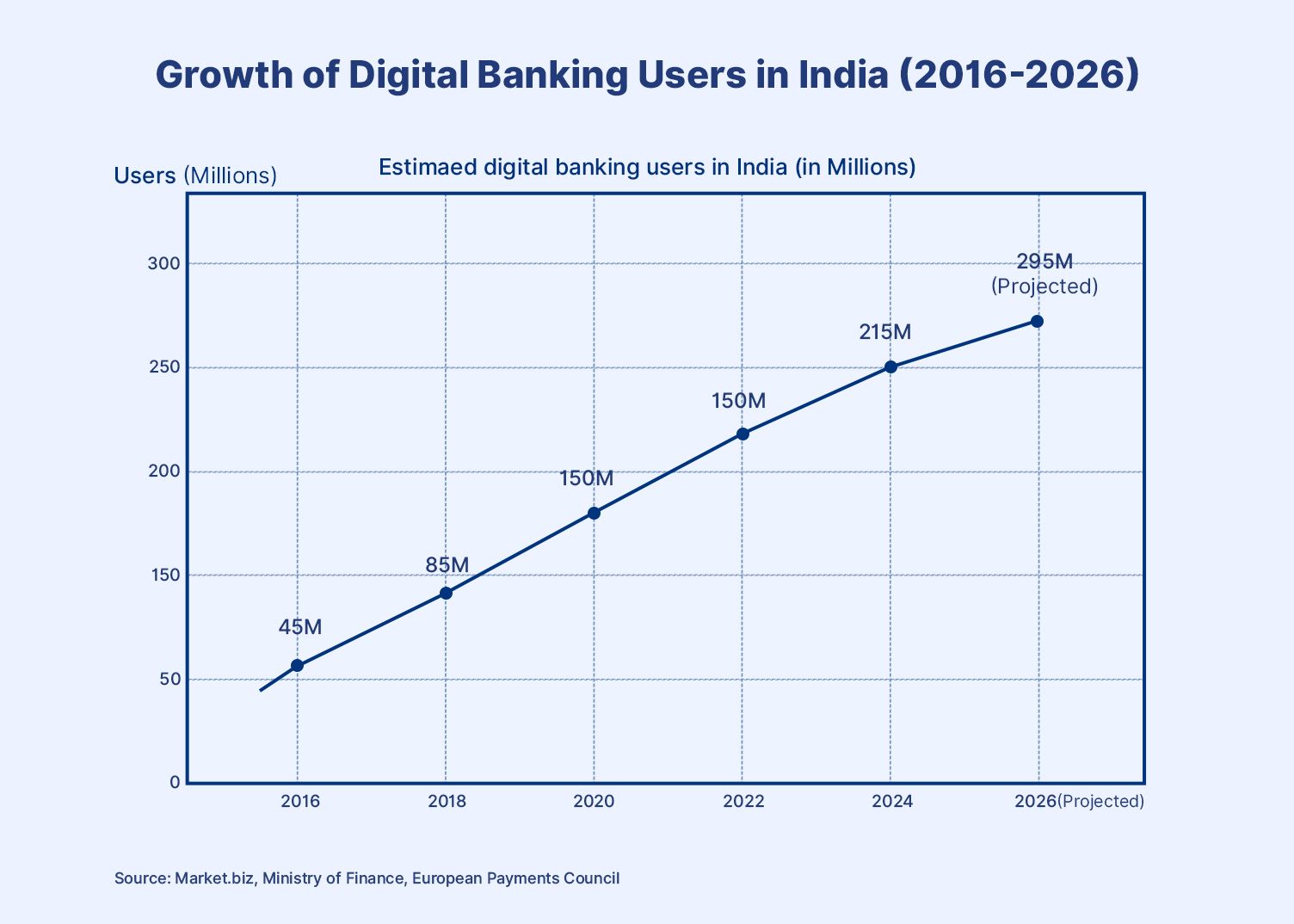
In the current scenario, customers prefer banking with an institution that has a strong digital presence, as most transactions (such as transferring money, checking balances, paying bills, and managing investments) are carried out from home or on mobile devices.
PNB Net Banking is a critical channel offered by the bank that allows customers to carry out most of the banking transactions without visiting a branch. Punjab National Bank has built a robust digital ecosystem that supports a range of financial activities. Let us find out how to register, log in, and use the features available on PNB Net Banking.
How To Register For PNB Net Banking
Customers can begin using internet banking after completing the PNB internet banking registration process. The bank offers both online and offline methods so customers can activate the service at their convenience.
- Online Method
The online method is the fastest way to start using internet banking. Customers can visit the official banking portal and complete the registration steps directly. To activate PNB net banking, users need to provide their account number, debit card details, and registered mobile number for verification.
Once the details are submitted, an OTP is sent to the registered mobile number to authenticate the request. After verification, users can create a login password and a separate transaction password. Once these credentials are set up, the account holder can access the platform via the PNB online banking login page. Here is a stepwise guide:
Step 1: Visit the PNB Internet Banking portal
If you are an existing customer and know your User ID, you can simply input the information and log in.
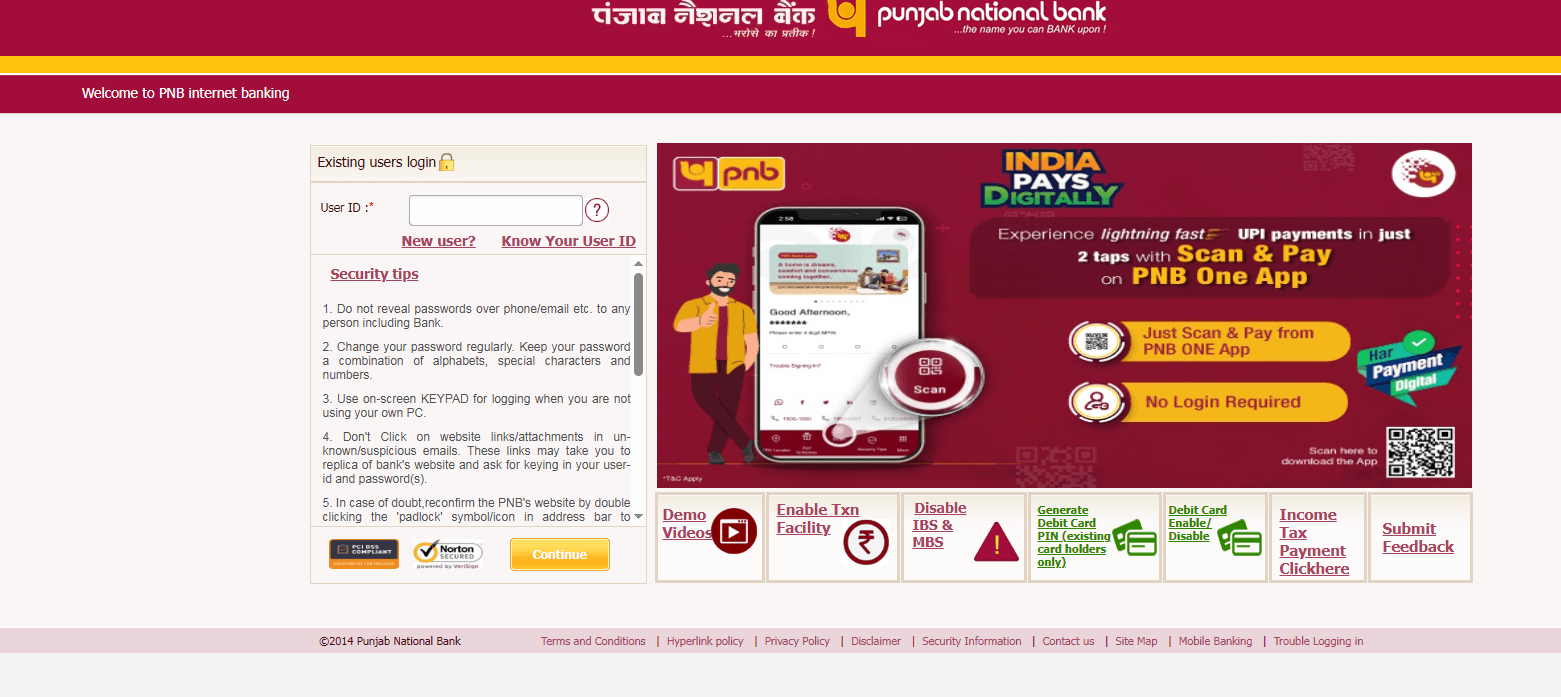
Step 2: Select “New User Registration”
If you are a new user, please select the new user option
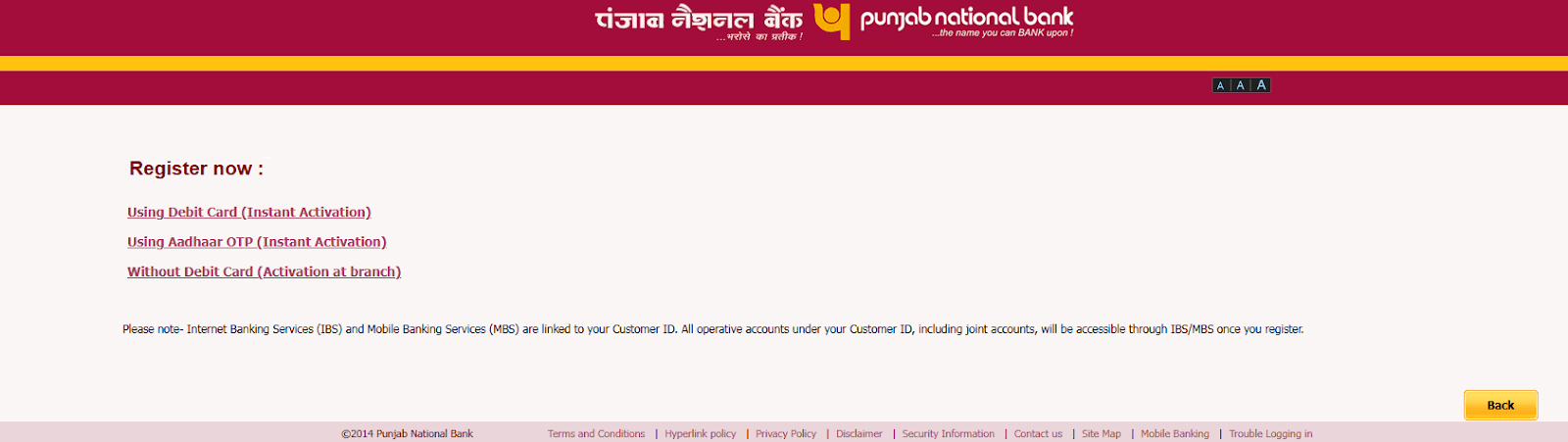
It is worth noting that you should have an active bank account with PNB and an active Debit card. In case you do not have any of these, it is suggested to visit the nearest PNB branch.
Step 3: Verify OTP and create passwords
- Offline Registration Process
Customers who prefer in-person assistance can complete the registration through their nearest branch. In this process, they must fill out a request form for PNB retail internet banking and submit it along with identity verification documents.
After processing the request, the bank activates the service and provides instructions for accessing the internet banking portal. This option is especially helpful for customers who may not be comfortable completing the process entirely online.
Key Features Of PNB Internet Banking
Here are the most important features of PNB Internet Banking:
1. The platform offers a range of PNB digital banking services that allow customers to manage accounts, check balances, view transaction history, and download account statements from a single digital interface.
2. Users can conveniently perform PNB net banking fund transfers via NEFT, RTGS, and IMPS, enabling quick transfers between their accounts or to registered beneficiaries.
3. The system also provides several useful PNB internet banking features, including utility bill payments, mobile recharges, credit card bill payments, and online tax payments.
4. Customers can also open or manage fixed deposits, track loan accounts, and access various banking services without visiting a physical branch.
5. For mobile users, PNB ONE app registration enables access to many of the same banking functions directly through the bank’s official mobile application.
6. Businesses and institutions can utilise PNB corporate internet banking, which offers higher transaction limits and specialised tools to manage multiple business accounts efficiently.
Security Features In PNB Net Banking
PNB uses some of the highest security protocols in offering internet banking services to its customers. The aim is to ensure that accounts and transactions are secure and that customers are protected from phishing attacks. Here are some of the most critical security features:
1. Two-Factor Authentication: The system uses an additional verification layer during login and transactions. In addition to the password, users must confirm their identity using OTP authentication.
2. OTP Verification for Transactions: Every sensitive transaction requires an OTP sent to the registered mobile number to help prevent unauthorised access to accounts.
3. Real-Time Transaction Alerts: Customers receive SMS or email notifications whenever a transaction occurs, enabling them to monitor account activity and detect suspicious activity quickly.
4. User Safety Practices: Customers are encouraged to follow PNB digital banking security tips, such as not sharing passwords or OTPs, avoiding public Wi-Fi while banking, and regularly updating login credentials.
5. Awareness of Service Costs: Users should also review PNB internet banking charges, as certain digital banking services or transactions may involve applicable fees.
Common Issues And Troubleshooting
If you are facing any of the common issues, it is possible to troubleshoot through these tricks:
1. Forgot Login Credentials: Users who cannot access their accounts can use the PNB net banking forgot password option on the login page to reset credentials after verifying account details and OTP authentication.
2. Account Locked Issues: Multiple incorrect login attempts may temporarily lock the account. In such cases, customers can wait for automatic unlocking or contact PNB online banking customer care for assistance.
3. Updating Contact Details: If users change their contact information, they may need to request a PNB net banking mobile number change, which can be done through a branch or designated service request.
4. Alternative Activation Method: Customers can also initiate PNB net banking activation ATM using their debit card at a PNB ATM Centre to activate internet banking services.
FAQs On PNB Net Banking
1. How to activate PNB net banking?
You can activate it online through the bank’s internet banking portal by entering your account details, debit card information, and OTP verification. Alternatively, you can activate it by visiting a branch or using a PNB ATM.
2. Is PNB net banking safe?
Yes. It uses security features such as two-factor authentication, OTP verification for transactions, and real-time alerts to help protect users from unauthorised access.
3. How to reset PNB internet banking password?
Go to the login page and select the “Forgot Password” option. After verifying your account details and OTP sent to your registered mobile number, you can create a new password
References:
1. Enkash, accessed from: https://www.enkash.com/resources/blog/top-10-banks-in-india
Want to stay at the top of your finances?
Join the community of 4 lakh+ investors and learn more about Grip Invest, the latest financial knick-knacks, and shenanigans in the world of investing.
Happy Investing!
Disclaimer - Investments in debt securities/municipal debt securities/securitised debt instruments are subject to risks including delay and/ or default in payment. Read all the offer related documents carefully. The investor is requested to take into consideration all the risk factors before the commencement of trading.
This communication is prepared by Grip Broking Private Limited (bearing SEBI Registration No. INZ000312836 and NSE ID 90319) and/or its affiliate/ group company(ies) (together referred to as “Grip”) and the contents of this disclaimer are applicable to this document and any and all written or oral communication(s) made by Grip or its directors, employees, associates, representatives and agents. This communication does not constitute advice relating to investing or otherwise dealing in securities and is not an offer or solicitation for the purchase or sale of any securities. Grip does not guarantee or assure any return on investments and accepts no liability for consequences of any actions taken based on the information provided. For more details, please visit www.gripinvest.in
Registered Address - 106, II F, New Asiatic Building, H Block, Connaught Place, New Delhi 110001


