

Punjab National Bank Debit Card PIN Generation: A Step-By-Step Guide


Generating or resetting your Punjab National Bank debit card PIN is a basic banking task, but it often feels confusing if you have not done it before. The good part is that PNB offers multiple secure ways to generate your debit card PIN, both online and offline.
Whether you prefer net banking, a mobile application, an ATM visit, or phone banking, you can complete the process easily once you know the steps. This guide explains every method clearly so you can choose what works best for you.
Step-By-Step Process For Punjab National Bank Debit Card PIN Generation
Before starting, make sure you have the following:
- Your PNB debit card
- Your registered mobile number
- Basic account details, if required
Punjab National Bank allows debit card PIN generation through net banking, the mobile banking application, ATMs, and IVR services.
1. Via PNB Net Banking
This method is suitable if you already use PNB internet banking.
- Visit the official Punjab National Bank net banking website
- Log in using your User ID and password
- Go to the Debit Card Services section
- Select the option to create or reset your debit card PIN
- Enter your debit card details
- Verify your identity using the OTP sent to your registered mobile number
- Set and confirm your new debit card PIN
Your PIN is usually activated immediately or within a few minutes.
2. Via PNB Mobile Banking Application
If you manage your banking through your smartphone, this is one of the fastest options.
- Open the PNB mobile banking application
- Log in securely
- Navigate to Debit Card Services
- Select Generate or Reset Debit Card PIN
- Enter your debit card details
- Authenticate using the OTP sent to your registered mobile number
- Set your new PIN
Once confirmed, the PIN becomes active in most cases instantly.
3. Via PNB ATM
This option is useful if you prefer an offline method.
- Visit a Punjab National Bank ATM
- Insert your debit card
- Choose the Create or Change PIN option
- Enter your account number and registered mobile number
- Receive an OTP on your registered mobile number
- Reinsert the debit card and set your new PIN
After completing these steps, your debit card PIN will be active.
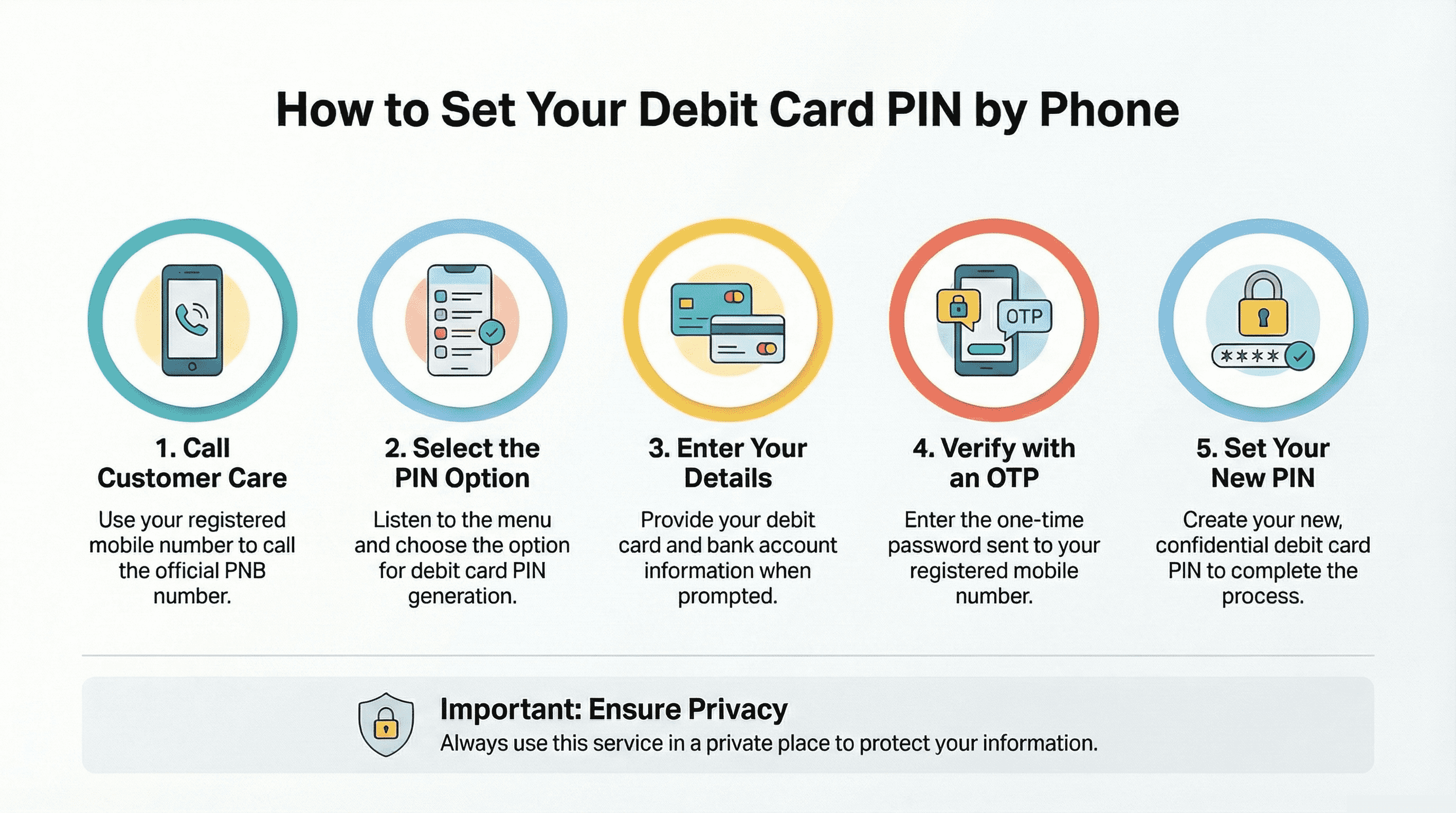
4. Via IVR (Phone Banking)
This method works well if you do not have access to the internet.
- Call the official Punjab National Bank customer care number from your registered mobile number
- Select the option for debit card PIN generation
- Enter the required debit card and account details
- Verify your identity using the OTP
- Set your new debit card PIN
Ensure that you are in a private place while using this method to maintain security.
Common Issues And Troubleshooting
You may occasionally face issues during the PIN generation process. Here is how to handle common problems:
- OTP not received: Check mobile network coverage and confirm that your mobile number is registered with the bank
- Incorrect details entered: Recheck debit card and account information before submitting
- PIN not activated: Wait for a few minutes and try again, or contact customer care
- Debit card blocked: Visit your home branch or contact Punjab National Bank customer support
Most issues are resolved quickly through customer care or branch assistance.
Tips For Creating A Secure Debit Card PIN (Investor Perspective)
Your debit card provides direct access to your bank account, which makes PIN security extremely important.
- Avoid using predictable numbers such as dates of birth or repeated digits
- Never share your debit card PIN with anyone
- Change your PIN periodically
- Do not write your PIN down or store it on your phone
From an investor’s point of view, protecting your debit card also protects your savings. Any financial loss due to fraud or careless handling directly reduces the money available for investments.
How Debit Card Usage Fits Into Your Overall Financial Planning
Debit cards are designed for spending and managing day-to-day expenses, not for building long-term wealth. Investment instruments are what help your money grow over time.
A practical approach includes:
- Using your debit card to monitor spending patterns
- Reviewing monthly expenses regularly
- Allocating a fixed amount toward investments before discretionary spending
Even investing INR 1,000 to INR5,000 per month into stable fixed-income instruments can compound meaningfully over the long term. Consistency matters more than the size of the investment.
Explore Safe, Fixed-Return Investment Options
Generating your Punjab National Bank debit card PIN is a small but essential step in managing your everyday finances securely. Once your debit card access is set up, the next step is building discipline around how you use it. Debit cards help manage spending, but long-term financial stability comes from consistent investing.
Platforms like Grip Invest help investors go beyond traditional savings by offering access to regulated fixed-income opportunities such as corporate bonds and SDIs. When combined with controlled spending and regular investments, these instruments can play a meaningful role in building predictable and stable returns over time.
Frequently Asked Questions
1. How long does it take for a PNB debit card PIN to get activated?
In most cases, the debit card PIN is activated immediately after successful verification. Sometimes it may take a few minutes, depending on the channel used.
2. Can I generate my PNB debit card PIN without internet access?
Yes. You can generate or reset your debit card PIN using a PNB ATM or through the IVR phone banking service without requiring internet access.
3. Is it safe to use a debit card for regular transactions?
Debit cards are safe when used responsibly. Protecting your PIN, monitoring transactions, and limiting unnecessary spending help ensure financial security and preserve funds for investments.
Join the community of 4 lakh+ investors and learn more about Grip Invest, the latest financial knick-knacks, and shenanigans in the world of investing.
Happy Investing!
Disclaimer - Investments in debt securities/municipal debt securities/securitised debt instruments are subject to risks including delay and/ or default in payment. Read all the offer related documents carefully. The investor is requested to take into consideration all the risk factors before the commencement of trading.
This communication is prepared by Grip Broking Private Limited (bearing SEBI Registration No. INZ000312836 and NSE ID 90319) and/or its affiliate/ group company(ies) (together referred to as “Grip”) and the contents of this disclaimer are applicable to this document and any and all written or oral communication(s) made by Grip or its directors, employees, associates, representatives and agents. This communication does not constitute advice relating to investing or otherwise dealing in securities and is not an offer or solicitation for the purchase or sale of any securities. Grip does not guarantee or assure any return on investments and accepts no liability for consequences of any actions taken based on the information provided. For more details, please visit www.gripinvest.in
Registered Address - 106, II F, New Asiatic Building, H Block, Connaught Place, New Delhi 110001


