

HUF Onboarding On Grip Invest: Complete Step By Step KYC Process Guide


It's been multiple decades since HUFs (Hindu Undivided Families) got recognized as a legal structure under India’s income tax system. Creating an HUF helps you, as a family, in saving tax and availing many other benefits.
Be it a separate PAN card, separate bank account, a separate tax slab or even a separate ITR, HUFs technically give you a second tax identity in the eyes of the law.
HUFs can own assets, earn income, invest money, and even take loans. In this blog, we’ll focus on giving you a walkthrough of the HUF’s KYC and onboarding journey on Grip Invest.
HUF Onboarding Process: Step By Step Walkthrough
Step 1: Start the Onboarding Journey
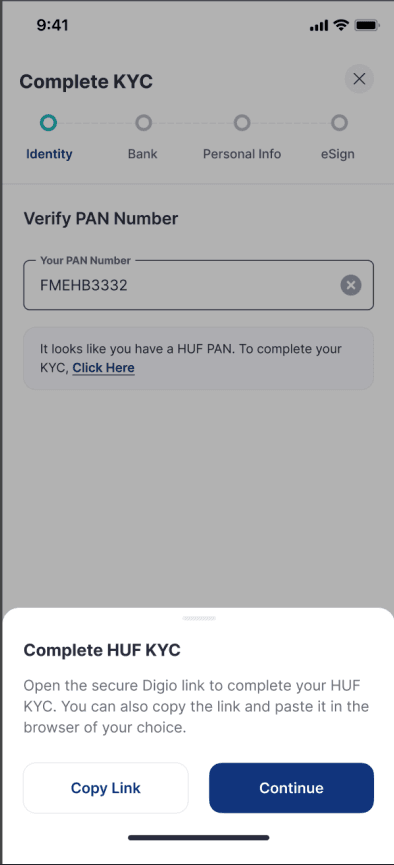
Begin your KYC process by clicking on this link. Once you put in your PAN number, Grip automatically recognizes whether its an individual's PAN or an HUF's. Once your PAN gets recognized, you can proceed to complete your HUF's KYC by clicking on ‘Continue’.
Step 2: Upload the HUF PAN
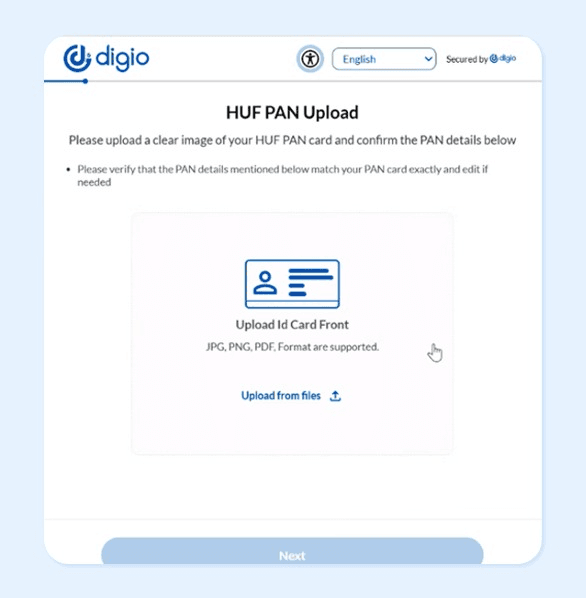
The next KYC step takes you to Digio, Grip’s partner platform for KYC and authentication of HUFs . Here you need to upload your HUF PAN card.
After upload:
- The system auto-reads the PAN details using OCR (Optical Character Recognition).
- Details such as the HUF name, date of HUF incorporation and PAN number are automatically captured.
- You need to confirm these details and then click on Submit.
- Remember that only an HUF’s PAN card is accepted here, an individual’s PAN card cannot be used in this step.
- If the OCR does not correctly capture the information, you can edit the details before submission.
Once you have verified the information, click “Confirm and Submit.”
Step 3: Upload the HUF Bank Statement
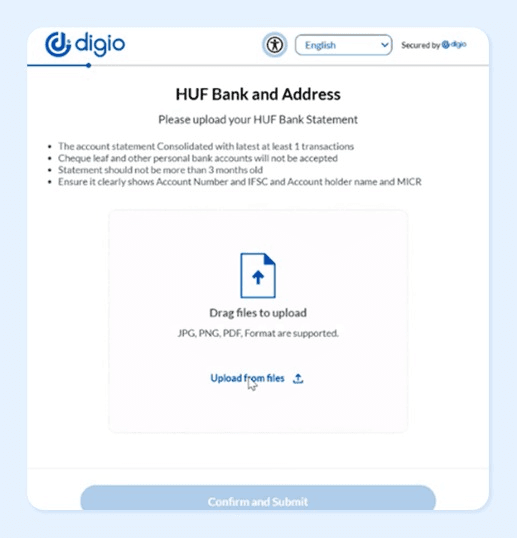
The next step is to upload the HUF bank account statement.
While uploading, ensure you review the document properly and fulfill these parameters:
- Your bank statement is not older than three months.
- A cheque leaf is not submitted in place of a bank statement.
- Personal bank account documents should not be submitted here.
- The account number, IFSC code, account holder name, and MICR details should be clearly visible in the statement.
After verification, click “Confirm and Submit”
Step 4: Review and Verify Address and Bank Details
The Digio system extracts your address information from the uploaded bank statement. Make sure you review the details, such as city, district, state, place of HUF incorporation, bank account number, bank name, IFSC code , account type, etc and edit them if required. Then click on ‘proceed’.
Step 5: Upload HUF Stamp and Signature
This step requires you to upload the necessary HUF seal (stamp) and Karta’s signature on top of the seal.
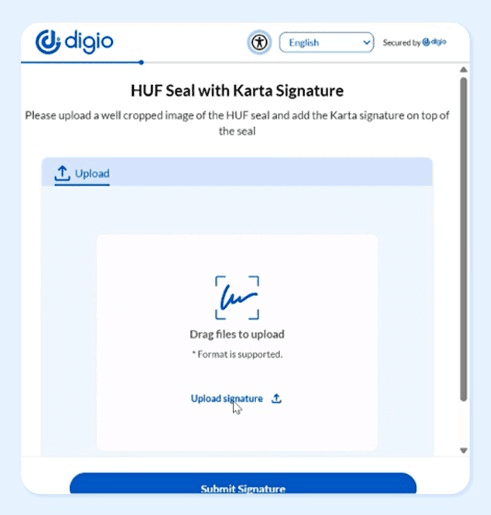
Then submit the signature.
Step 6: Complete DigiLocker Authentication
The next step involves DigiLocker verification for Karta’s documents.
During this stage:
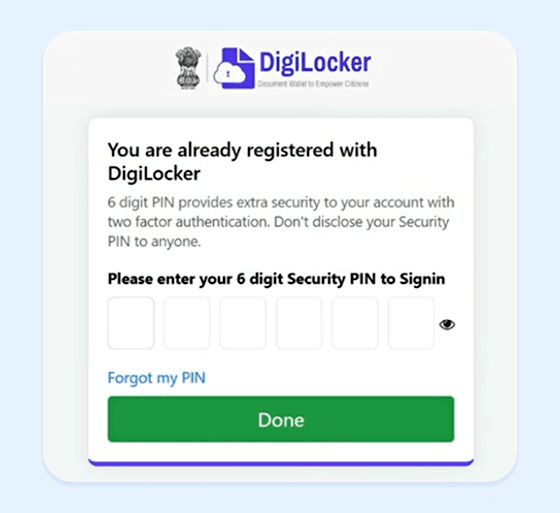
- You need to log into DigiLocker with your 6 digit security PIN.
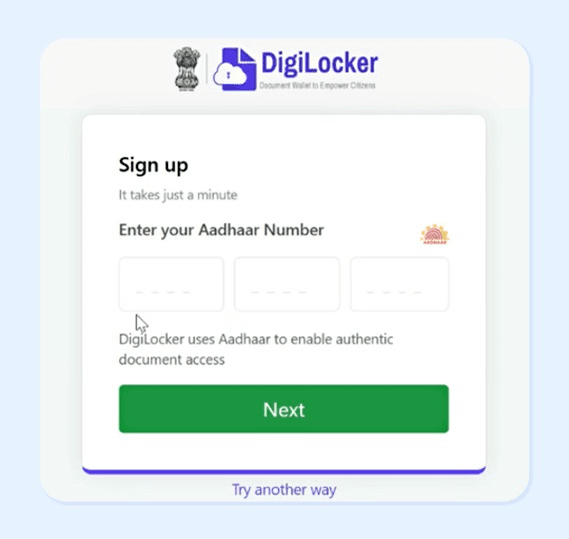
- If you have not yet signed up on DigiLocker then you would need to do that first through your Aadhaar number and the subsequent OTP.
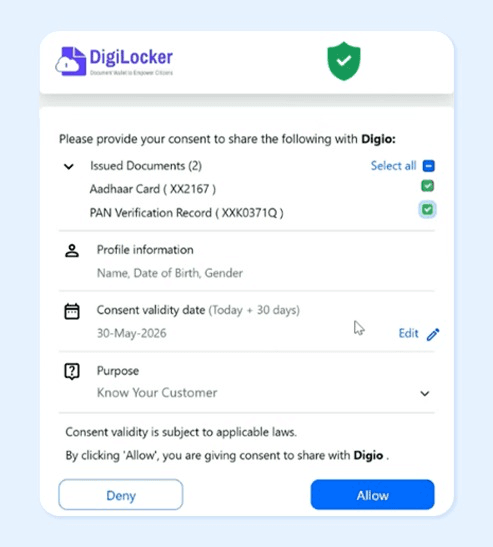
- Next you need to provide permission to Digio to fetch your documents such as Aadhaar and PAN through DigiLocker.
Step 7: Selfie KYC
This step requires you to first allow Digio to access your location and then your camera.
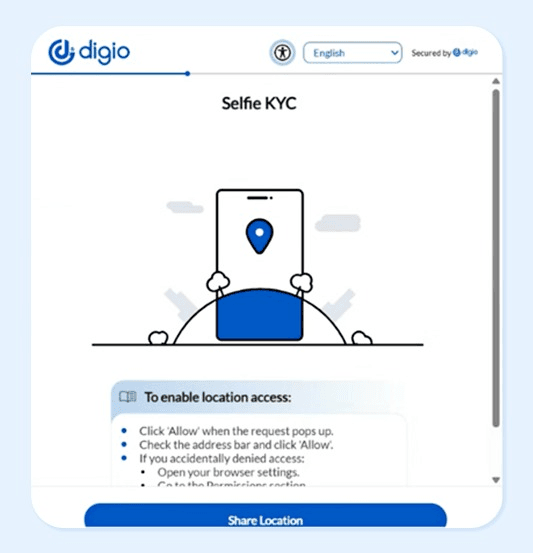
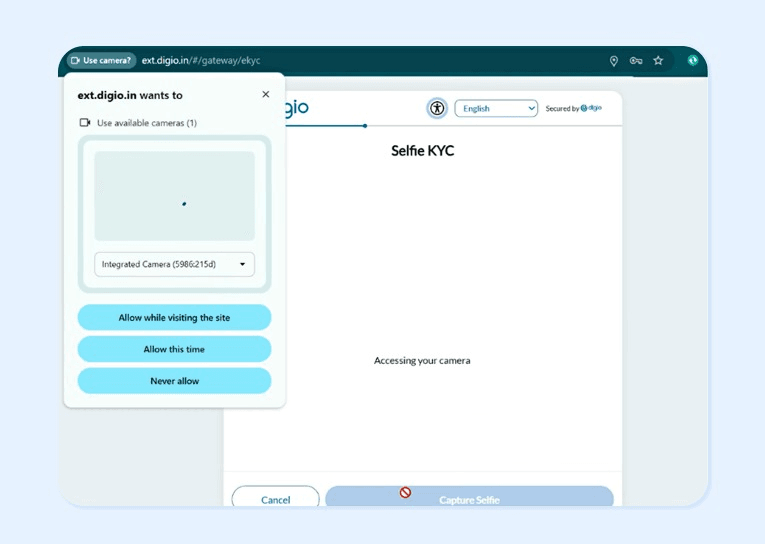
Now look straight into the camera so that your selfie can be captured. Then click on ‘submit selfie’.
Step 8: Enter Karta Details
This step requires you to enter the Karta's details such as income, father’s name, occupation, gender and marital status. Then click on ‘save’ to proceed.
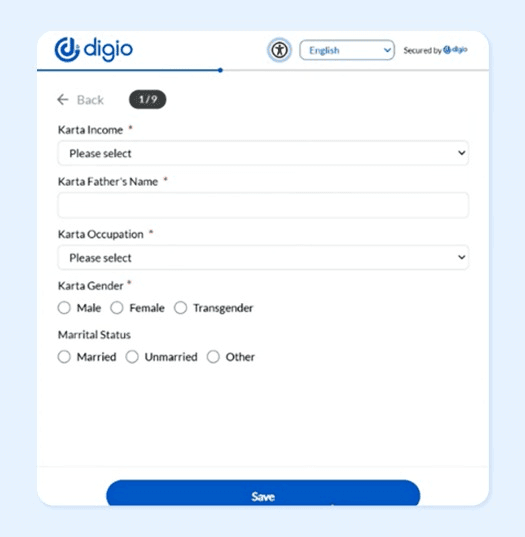
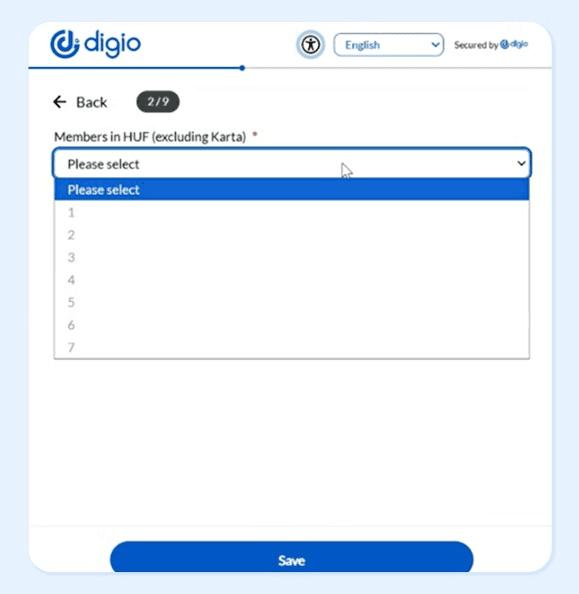
Another information you need to mention here is the number of members in the HUF (excluding the Karta).
Step 9: Enter HUF Member Details
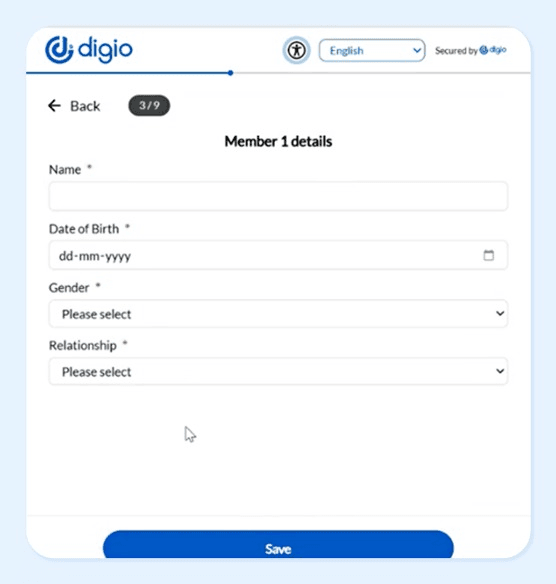
The next step requires you to enter each HUF member’s details (excluding the Karta), such as name, date of birth, gender and relationship with the Karta. Then click on ‘save’ to proceed.
Step 10: Declaration and account preferences
- The next step requires you to choose a trading segment, whether its mutual funds or the debt segment.
- You also need to verify if you are a politically exposed person or related to such a person.
- You should also not have any proceedings initiated or pending against you, by SEBI/stock exchanges or any other authority in the last 3 years.
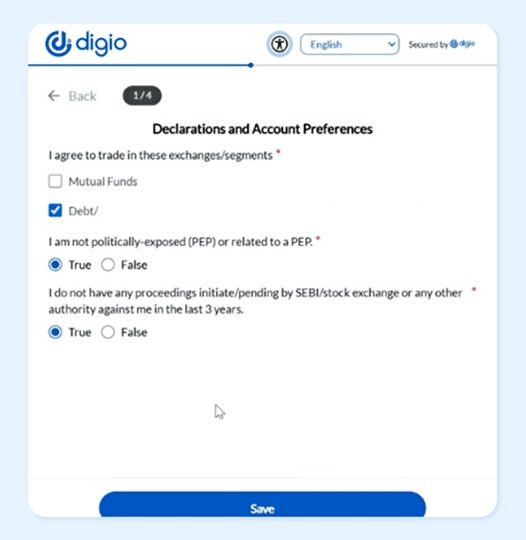
Then click on ‘save’ to proceed.
Step 11: Complete eSign
Last but not the least, you need to e-sign and submit the KYC application.
That’s it. Once all checks are done successfully, the HUF onboarding journey is completed.
Mistakes to avoid during HUF KYC
While doing the KYC process for your HUF, make sure you do not commit these mistakes, else your KYC can be rejected :
- In step 3, make sure the HUF's bank statement uploaded clearly show address, account number and IFSC code.
- Do not fill the wrong bank account number and IFSC code in step 4.
- Your signature should be absolutely clear and have the stamp as well in step 5. Also make sure the stamp is of the correct HUF Karta.
- Do not fill incomplete address in step 4. All the details, including city, district, state, etc should be correct.
- In step 3 and 4, do not fill incorrect place of incorporation.
- In step 2, do not upload a mobile screenshot of the PAN, make sure you upload the PAN card copy only, and that too in the supported file formats of JPG, PNG or PDF.
FAQs On HUF Onboarding Journey
 |
Author: Grip Invest Editorial Team The Grip Invest Editorial Team is a group of Chartered Accountants, MBA (Finance) graduates, and Qualified Research Analysts dedicated to helping you invest smarter. We dive deep into India's fixed income landscape to deliver content that is accurate, up-to-date, and easy to understand. Whether you're exploring bonds, fixed deposits, or other fixed income opportunities, our guides cut through the noise and give you the clarity to make better financial decisions. |
Want to stay at the top of your finances?
Join the community of 4 lakh+ investors and learn more about Grip Invest, the latest financial knick-knacks, and shenanigans in the world of investing.
Happy Investing!
Disclaimer - Investments in debt securities/municipal debt securities/securitised debt instruments are subject to risks including delay and/ or default in payment. Read all the offer related documents carefully. The investor is requested to take into consideration all the risk factors before the commencement of trading.
This communication is prepared by Grip Broking Private Limited (bearing SEBI Registration No. INZ000312836 and NSE ID 90319) and/or its affiliate/ group company(ies) (together referred to as “Grip”) and the contents of this disclaimer are applicable to this document and any and all written or oral communication(s) made by Grip or its directors, employees, associates, representatives and agents. This communication does not constitute advice relating to investing or otherwise dealing in securities and is not an offer or solicitation for the purchase or sale of any securities. Grip does not guarantee or assure any return on investments and accepts no liability for consequences of any actions taken based on the information provided. For more details, please visit www.gripinvest.in
Registered Address - 106, II F, New Asiatic Building, H Block, Connaught Place, New Delhi 110001


