

How To Generate Your IndusInd Bank Debit Card Pin: A Simple Step-By-Step Guide


Activating a new debit card feels easy until you reach the PIN generation part. Different methods, OTP authentication, and security steps can make it confusing. If you have received an IndusInd Bank debit card, you can generate or reset your PIN in just a few minutes using several available methods.
What this guide does is walk you through each method clearly, so you can pick whichever feels easiest.
Step-By-Step Process For IndusInd Debit Card Pin Generation
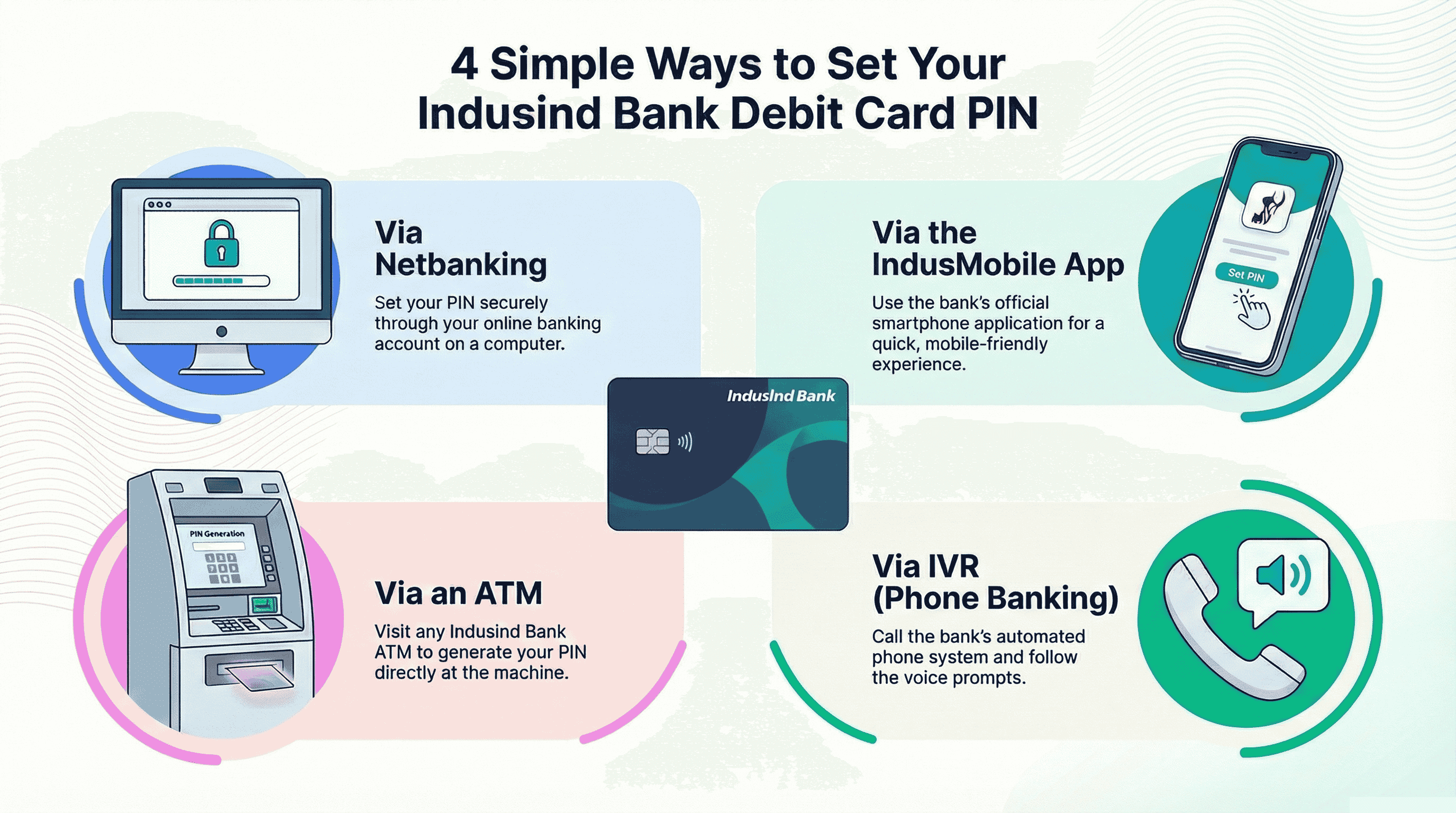
Setting up your PIN is the first step to actually using your new debit card, whether it’s for ATM withdrawals, UPI activation, online payments, or tap-to-pay. IndusInd Bank gives you multiple ways to generate or reset your PIN, so you can choose the option that feels the most convenient. The process is quick, secure, and only requires your registered mobile number for verification.
1) Via Net-banking
- Log in to your IndusInd Netbanking account.
- Go to Cards and Services.
- Select Debit Card.
- Choose Generate/Renew PIN.
- Enter your card details and registered mobile number.
- Confirm using OTP.
- Set your new PIN and re-enter to confirm.
This method works well if you already use online banking and want to avoid waiting in line at an ATM.
2) Via IndusMobile App
- Open the IndusMobile App and sign in.
- Tap Cards.
- Choose your debit card.
- Select Generate PIN / Reset PIN.
- Verify using your registered mobile OTP.
- Set the new 4-digit PIN.
The mobile app is usually the fastest option, especially for account holders who already use biometric or quick login.
3) Via ATM
- Visit any IndusInd Bank ATM.
- Insert your debit card.
- Select PIN Generation.
- Enter your registered mobile number.
- You will receive an OTP (Green PIN).
- Reinsert the card and choose Set PIN.
- Enter the OTP and create your new PIN.
ATM PIN setup is great if you want immediate physical confirmation or are activating a card for the first time.
4) Via IVR (Phone Banking)
- Call IndusInd customer care from your registered mobile.
- Select the debit card services option.
- Request Generate/Reset PIN.
- Authenticate with account details and OTP.
- Set your new PIN when prompted.
IVR helps when you do not have internet access or the mobile app installed.
Common Issues And Troubleshooting
Even with a simple process, small hiccups like delayed OTPs or incorrect details can get in the way. The good part is that most issues are easy to fix once you know what’s causing them. This quick troubleshooting guide helps you understand common problems and the fastest way to resolve them so you can complete your PIN setup without stress.
Issue | Why It Happens | Fix |
| OTP not received | Network delay or incorrect number | Check signal, wait a minute, or confirm registered mobile |
| PIN setup failure | Wrong card details or expired OTP | Re-enter details carefully and generate a fresh OTP |
| Card blocked after wrong PIN attempts | Security lock after 3–5 failed tries | Wait or contact support to reset |
| App shows error | Outdated version or unstable internet | Update app and retry |
If nothing works, reaching out to IndusInd support or visiting a branch usually resolves it quickly.
Tips for Creating a Secure PIN (Investor Mindset)
A PIN is not just a password. It is your safety layer between your money and potential misuse. Keep these tips in mind:
- Avoid predictable choices like 1111 (repetitive numbers), 1234 (consecutive numbers), or birth dates (yours or your family members).
- Do not reuse the same PIN from older cards.
- Change your PIN every few months.
- Never share it, write it down, or save it in messages.
Here’s the mindset shift:
Just like diversification protects investments, strong PIN habits protect your spending ecosystem.
How Your Debit Card Fits Into Your Financial Life
Your debit card is mainly for spending. It helps you access your money instantly, pay bills, withdraw cash, or shop when needed. But here is the key idea:
- Using a debit card means money is leaving your account
- Investing means your money is growing for you
Once you start tracking where your money goes, it becomes easier to plan how much you can save or invest. One simple habit that works well for most people is:
Set aside a fixed amount every month — even something small like INR 1000–INR 5000 — and put it into low-risk fixed-income investments. With consistency, this small step turns into meaningful growth over time.
So yes, your debit card handles your day-to-day expenses, but investments build your long-term financial confidence and security.
Explore Fixed-Return Investments
If you are focusing on better money habits and want predictable, steady returns instead of watching the markets bounce like a cricket ball, fixed-return options like corporate bonds or SDIs are worth exploring.They are designed to give clarity, how much you’ll earn and when, without the daily volatility of equity markets. And if you want a regulated platform to browse such opportunities with transparency, you can explore fixed-income investment options available on Grip Invest.
FAQ's On How To Generate Pin
1. How long does it take to generate the PIN?
Usually just a few minutes, depending on the method and OTP delivery.
2. Can I generate the PIN before using the card for the first time?
Yes, PIN generation is the first activation step for most new cards.
3. What should I do if the OTP keeps failing?
Check the network, restart your phone, or confirm if your number is correctly registered with the bank.
Want to stay at the top of your finances?
Join the community of 4 lakh+ investors and learn more about Grip Invest, the latest financial knick-knacks, and shenanigans in the world of investing.
Happy Investing!
Disclaimer - Investments in debt securities/municipal debt securities/securitised debt instruments are subject to risks including delay and/ or default in payment. Read all the offer related documents carefully. The investor is requested to take into consideration all the risk factors before the commencement of trading.
This communication is prepared by Grip Broking Private Limited (bearing SEBI Registration No. INZ000312836 and NSE ID 90319) and/or its affiliate/ group company(ies) (together referred to as “Grip”) and the contents of this disclaimer are applicable to this document and any and all written or oral communication(s) made by Grip or its directors, employees, associates, representatives and agents. This communication does not constitute advice relating to investing or otherwise dealing in securities and is not an offer or solicitation for the purchase or sale of any securities. Grip does not guarantee or assure any return on investments and accepts no liability for consequences of any actions taken based on the information provided. For more details, please visit www.gripinvest.in
Registered Address - 106, II F, New Asiatic Building, H Block, Connaught Place, New Delhi 110001


